

The default OpenHands-hosted critic is currently free to use. For background
on the critic model and evaluation methodology, read
SOTA on SWE-Bench Verified with Inference-Time Scaling and Critic Model
and
A Rubric-Supervised Critic from Sparse Real-World Outcomes.
The critic applies to OpenHands agent conversations. Agent Canvas can also
run third-party ACP agents, but those agents manage their own execution loop
and may not expose the same critic evaluation path.
Prerequisites
Before enabling the critic:- Configure your active LLM in
Settings > LLM. - Prefer the
OpenHandsLLM provider when you want the default hosted critic path. - Start a new conversation after saving critic settings. Existing conversations keep the settings they were created with.
Enable the Critic
- Open
Settings > Verification. - Toggle on
Enable Critic. - Configure the
Critic API Keyfield:- If
OpenHandsis selected as your active LLM provider, leave this field empty. The critic reuses the active provider’s OpenHands Provider LLM Key. - If you are not using the
OpenHandsLLM provider, paste an OpenHands Provider LLM Key intoCritic API Key, or provide the API key required by your custom critic service.
- If
- Save the settings.
- Start a new conversation.
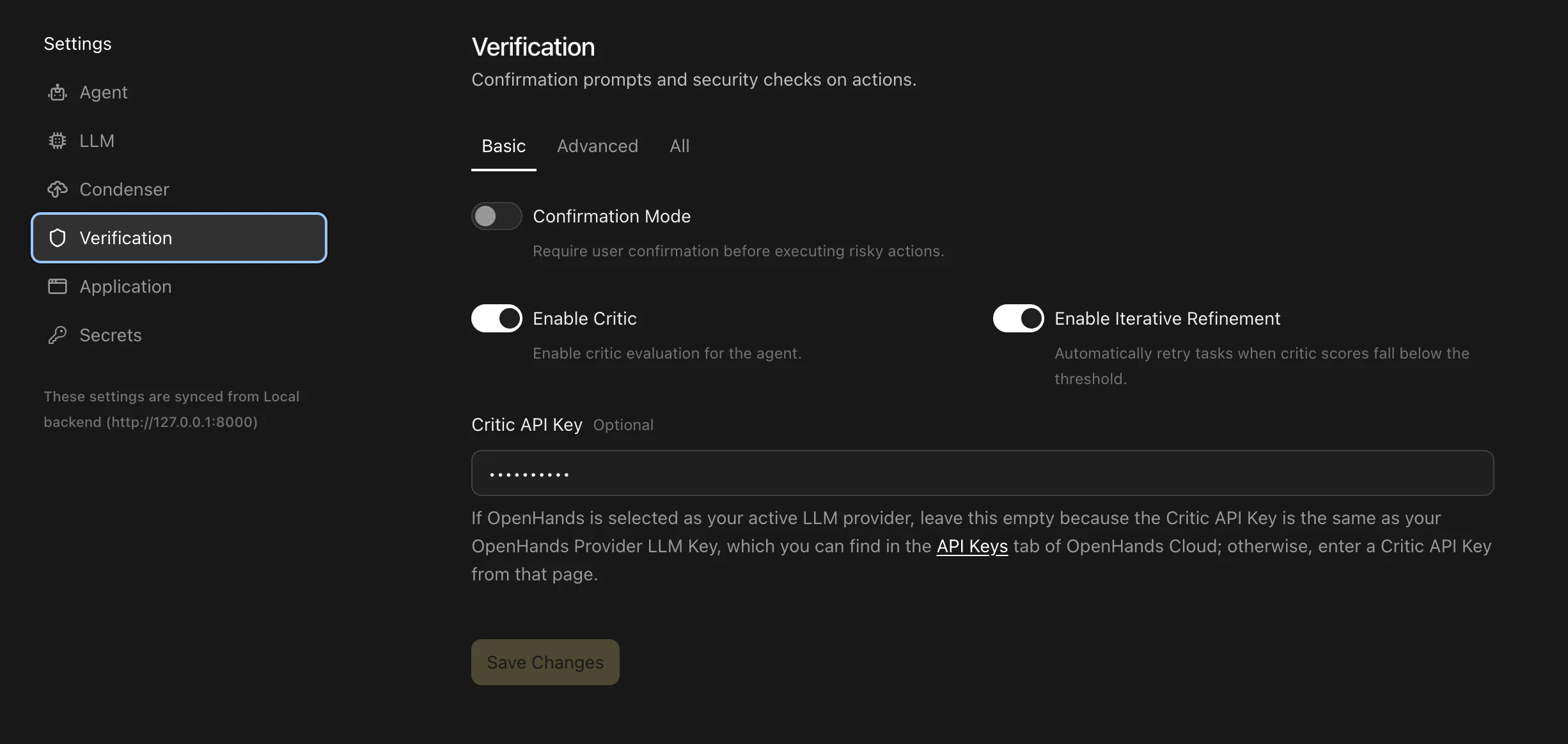
API Keys tab of OpenHands Cloud.
The default hosted critic is free today; the key authenticates access to the
service.
A dedicated
Critic API Key overrides the active LLM key for critic calls
only. Your main LLM configuration continues to use the key from
Settings > LLM.Enable Iterative Refinement
Iterative refinement lets the critic send the agent back to improve its work when the predicted success score is too low.- Open
Settings > Verification. - Toggle on
Enable Critic. - Toggle on
Enable Iterative Refinement. - Optionally switch the settings detail view to
AdvancedorAll. - Adjust:
Critic Threshold- the success score required to stop refining. The default is0.6.Max Refinement Iterations- the maximum number of retry attempts. The default is3.
- Save the settings and start a new conversation.
View Critic Results
When the critic runs, Agent Canvas shows the result below the agent message or finish action that was evaluated. The compact view shows the predicted success likelihood score. You can expand the result to inspect detected issue categories and probabilities, such as incomplete changes, missing validation, infrastructure issues, or likely user follow-up patterns.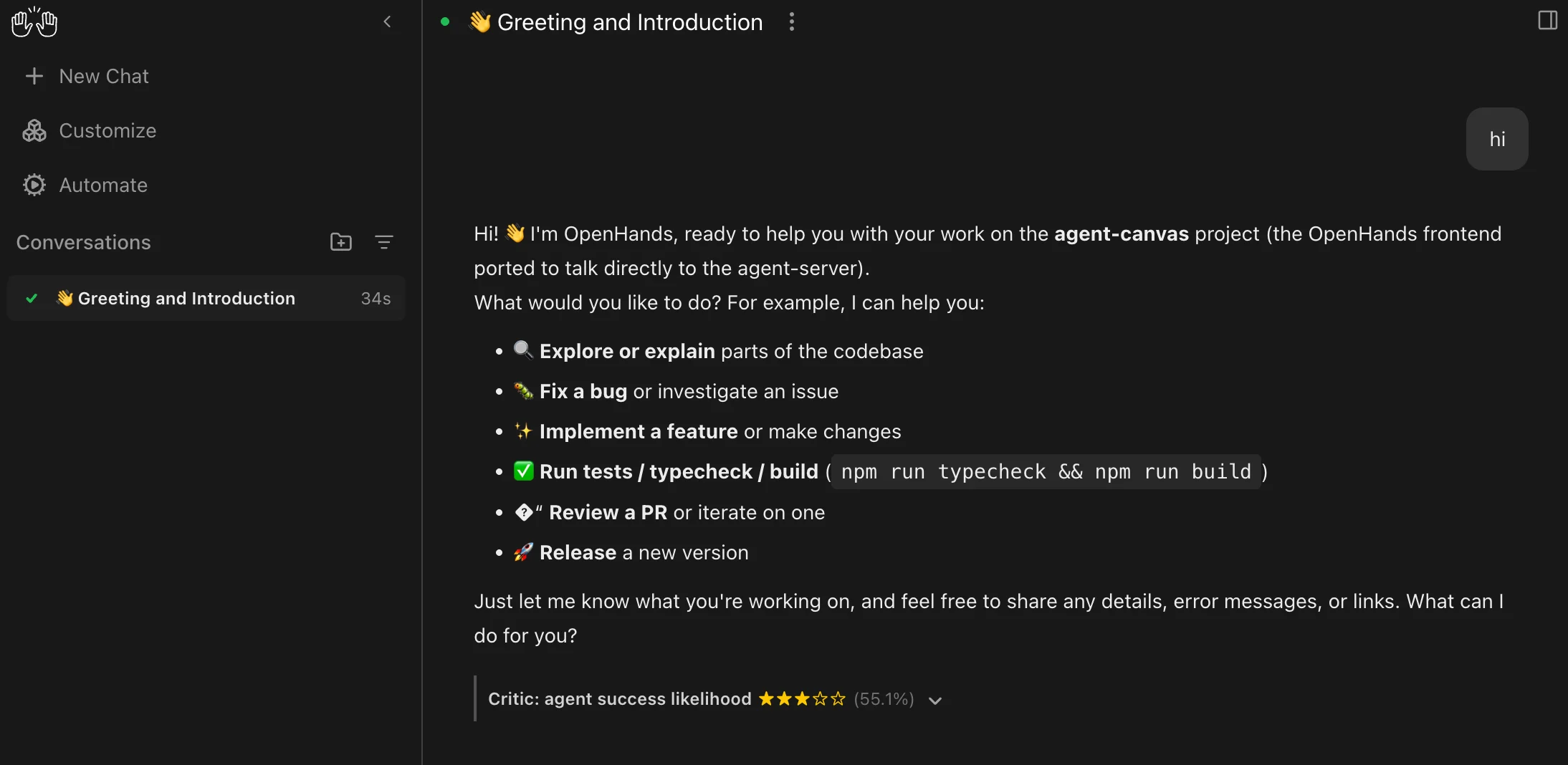
Troubleshooting
Critic Results Do Not Appear
- Confirm
Enable Criticis on inSettings > Verification. - Start a new conversation after saving the setting.
- Use the OpenHands agent path. Third-party ACP agents may not expose critic results.
- Wait until the agent sends a message or finishes a task. With the default
finish_and_messagemode, the critic does not run after every tool call.
Authentication Errors
If the critic request fails with an API key or authentication error:- If
OpenHandsis the active LLM provider, leaveCritic API Keyempty and confirm the active LLM profile has a saved OpenHands Provider LLM Key. - If another LLM provider is active, enter an OpenHands Provider LLM Key in
Critic API Key.
Conversations Become Slow
- Keep
Critic Modeset tofinish_and_messageunless you need per-action feedback. - Disable
Enable Iterative Refinementif you only want passive critic scores. - Lower
Max Refinement Iterationsif repeated refinement loops are too costly.