

Obtain Your OpenHands LLM API Key
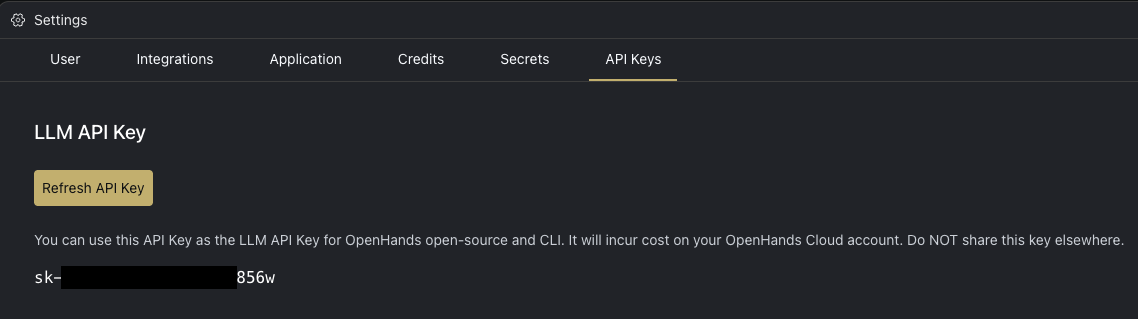
- Log in to OpenHands Cloud.
- Go to the Settings page and navigate to the
API Keystab. - Copy your
LLM API Key.
Configuration
When running OpenHands, you’ll need to set the following in the OpenHands UI through the Settings under theLLM tab:
LLM ProvidertoOpenHandsLLM Modelto the model you will be using (e.g. claude-sonnet-4-20250514 or claude-sonnet-4-5-20250929)API Keyto your OpenHands LLM API key copied from above
Using OpenHands LLM Provider in Agent Canvas
Agent Canvas is the open-source client for running OpenHands. To use your OpenHands LLM API key there, openSettings > LLM, choose OpenHands as the provider on the Basic tab, select a model, and paste your key. See Configure a Model for details.
Using OpenHands LLM Provider with the SDK
You can use your OpenHands LLM API key with the OpenHands SDK to build custom agents and automation pipelines.Configuration
The SDK automatically configures the correct API endpoint when you use theopenhands/ model prefix. Simply set two environment variables:
Example
openhands/ prefix tells the SDK to automatically route requests to the OpenHands LLM proxy—no need to manually set a base URL.
Available Models
When using the SDK, prefix any model from the pricing table below withopenhands/:
openhands/claude-sonnet-4-20250514openhands/claude-sonnet-4-5-20250929openhands/claude-opus-4-20250514openhands/gpt-5-2025-08-07- etc.
If your network has firewall restrictions, ensure the
all-hands.dev domain is allowed. The SDK connects to llm-proxy.app.all-hands.dev.Pricing
Pricing follows official API provider rates. Below are the current pricing details for OpenHands models:
Note: Prices listed reflect provider rates with no markup, sourced via LiteLLM’s model price database and provider pricing pages. Cached input tokens are charged at a reduced rate when the same content is reused across requests. Models that don’t support prompt caching show “N/A” for cached input cost.