> ## Documentation Index
> Fetch the complete documentation index at: https://docs.openhands.dev/llms.txt
> Use this file to discover all available pages before exploring further.
# Slack Integration
> This guide walks you through installing the OpenHands Slack app.
OpenHands utilizes a large language model (LLM), which may generate responses that are inaccurate or incomplete.
While we strive for accuracy, OpenHands' outputs are not guaranteed to be correct, and we encourage users to
validate critical information independently.
## Prerequisites
* Access to OpenHands Cloud.
## Installation Steps
**This step is for Slack admins/owners**
1. Make sure you have permissions to install Apps to your workspace.
2. Click the button below to install OpenHands Slack App
3. In the top right corner, select the workspace to install the OpenHands Slack app.
4. Review permissions and click allow.
**Make sure your Slack workspace admin/owner has installed OpenHands Slack App first.**
Every user in the Slack workspace (including admins/owners) must link their OpenHands Cloud account to the OpenHands Slack App. To do this:
1. Visit the [Settings > Integrations](https://app.all-hands.dev/settings/integrations) page in OpenHands Cloud.
2. Click `Install OpenHands Slack App`.
3. In the top right corner, select the workspace to install the OpenHands Slack app.
4. Review permissions and click allow.
Depending on the workspace settings, you may need approval from your Slack admin to authorize the Slack App.
## Working With the Slack App
To start a new conversation, you can mention `@openhands` in a new message or a thread inside any Slack channel.
Once a conversation is started, all thread messages underneath it will be follow-up messages to OpenHands.
To send follow-up messages for the same conversation, mention `@openhands` in a thread reply to the original message.
You must be the user who started the conversation.
## Example conversation
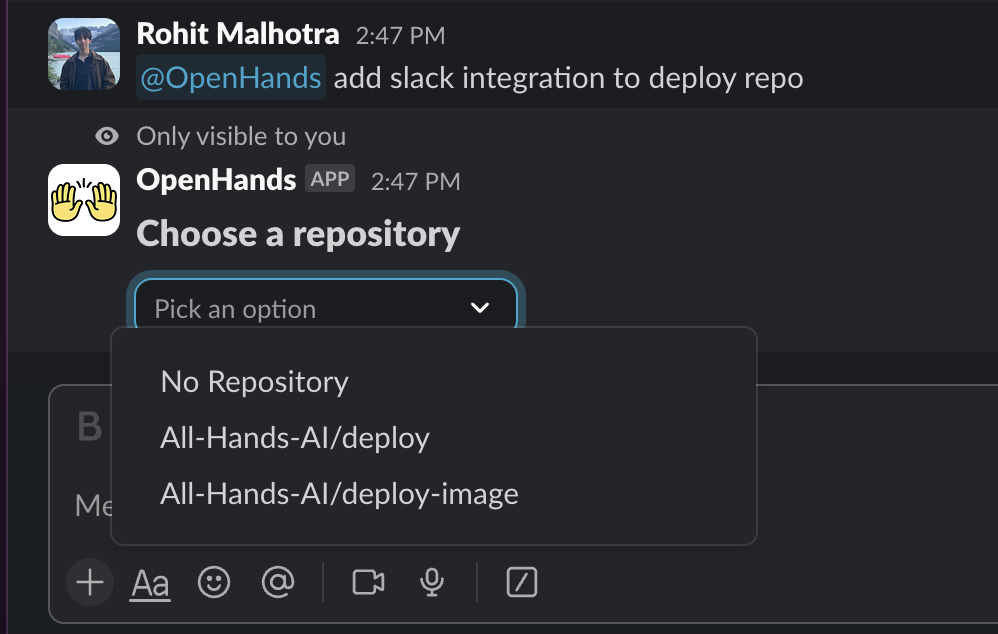
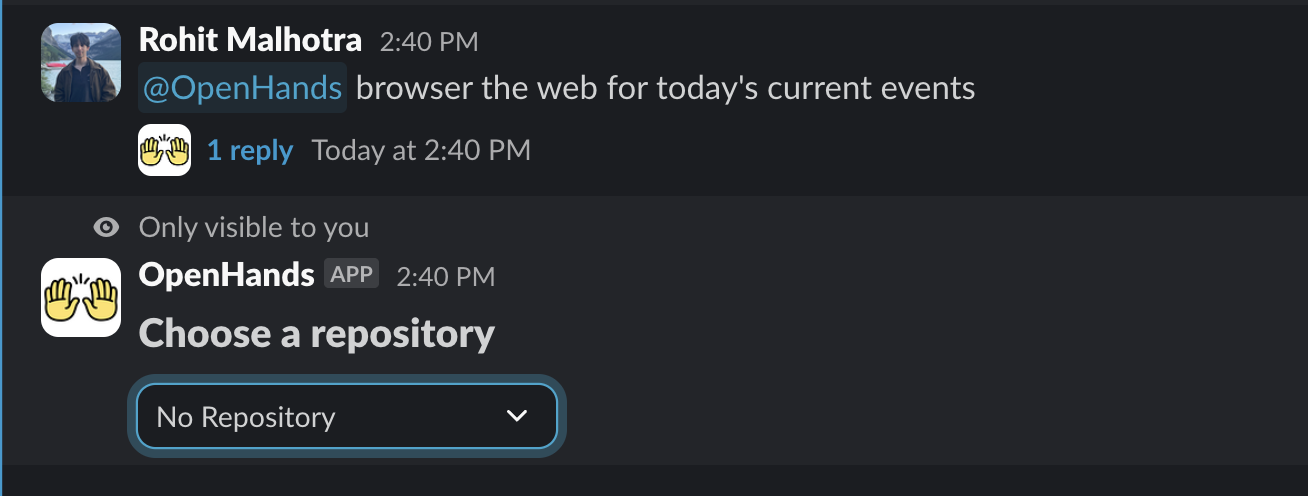
### Start a new conversation, and select repo
Conversation is started by mentioning `@openhands`.
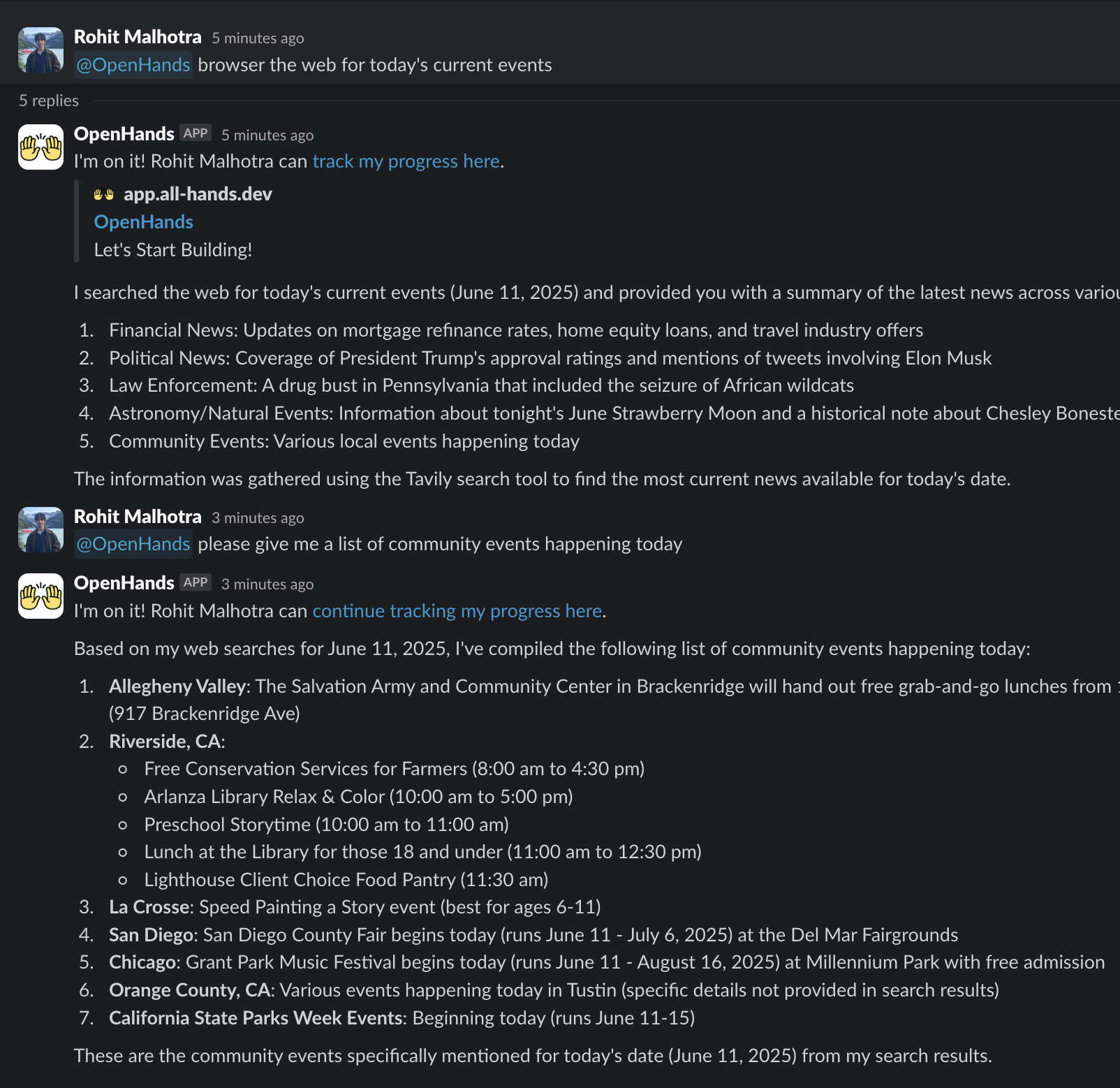
### See agent response and send follow up messages
Initial request is followed up by mentioning `@openhands` in a thread reply.
## Pro tip
You can mention a repo name when starting a new conversation in the following formats
1. "My-Repo" repo (e.g `@openhands in the openhands repo ...`)
2. "OpenHands/OpenHands" (e.g `@openhands in OpenHands/OpenHands ...`)
The repo match is case insensitive. If a repo name match is made, it will kick off the conversation.
If the repo name partially matches against multiple repos, you'll be asked to select a repo from the filtered list.
 3. In the top right corner, select the workspace to install the OpenHands Slack app.
4. Review permissions and click allow.
3. In the top right corner, select the workspace to install the OpenHands Slack app.
4. Review permissions and click allow.
 ### See agent response and send follow up messages
Initial request is followed up by mentioning `@openhands` in a thread reply.
### See agent response and send follow up messages
Initial request is followed up by mentioning `@openhands` in a thread reply.
 ## Pro tip
You can mention a repo name when starting a new conversation in the following formats
1. "My-Repo" repo (e.g `@openhands in the openhands repo ...`)
2. "OpenHands/OpenHands" (e.g `@openhands in OpenHands/OpenHands ...`)
The repo match is case insensitive. If a repo name match is made, it will kick off the conversation.
If the repo name partially matches against multiple repos, you'll be asked to select a repo from the filtered list.
## Pro tip
You can mention a repo name when starting a new conversation in the following formats
1. "My-Repo" repo (e.g `@openhands in the openhands repo ...`)
2. "OpenHands/OpenHands" (e.g `@openhands in OpenHands/OpenHands ...`)
The repo match is case insensitive. If a repo name match is made, it will kick off the conversation.
If the repo name partially matches against multiple repos, you'll be asked to select a repo from the filtered list.